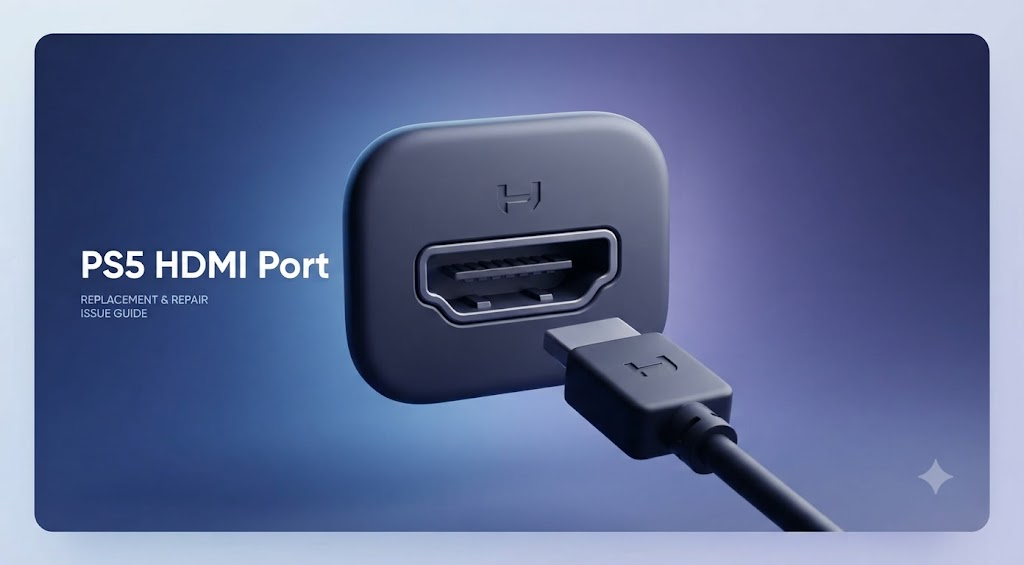
How Do You Know If Your PS5 HDMI Port Needs Repair?
Introduction
When your PS5 turns on but the screen stays blank, the trouble may be deeper than it first looks. A loose port, bent pins, or signal loss can all indicate hardware damage. Knowing what to check first can save stress, money and a lot of guesswork with PS5 repair in Calgary.
| Quick Answer Your PS5 HDMI port may need repair if the console turns on but your TV keeps showing “No Signal.” That usually means the video connection is failing somewhere in the signal path.Flickering, loose cable movement or a picture that only appears at one angle are strong warning signs. These often point to physical damage inside the port.Before assuming the port is broken, test the cable, TV input and video settings first. A few simple checks can save you from the wrong fix. |
7 Signs Your PS5 HDMI Port May Be Damaged
When the HDMI port starts failing, the symptoms usually show up in a pattern. Some look small at first. Others hit you right away and make the console seem dead on the screen. The key is to notice whether the problem stays the same even after basic testing.
1. Your PS5 Turns On But the TV Says “No Signal”
This is one of the clearest warning signs. If the PS5 lights up, fans spin and the console seems to boot normally but the TV says “No Signal,” the video path may be broken. That does not always mean the HDMI port is damaged but it is one of the first places to look.
A working console should send a signal the moment it starts. If that signal never reaches the TV, the port may have loose internal contact, broken solder or physical damage. In simple terms, the PS5 is alive but the picture is not getting out.
2. The Picture Flickers, Cuts Out or Appears Only Sometimes
A bad HDMI port often acts like a shaky handshake. The picture may show up for a few seconds then disappear. It may also flicker during menus, games or even while the screen is idle.
This kind of problem usually means the connection is unstable. The cable may not be seated securely in the port, or the port may have internal wear. If the issue keeps coming back after you swap cables and try another TV, the port becomes a stronger suspect.
3. The HDMI Cable Feels Loose or Moves Too Easily
A healthy HDMI port should hold the cable firmly. It should not feel like it wobbles around or slides in with very little resistance. If the plug feels loose, the port may be physically worn or damaged.
This is more than a comfort issue. A loose port can break the video connection whenever the console shifts even slightly. That means one small movement can be enough to kill the picture. In many cases, this happens after repeated plugging and unplugging over time.
4. You Can See Bent, Missing or Pushed-Back Pins
Bent or missing pins are one of the clearest warning signs you can spot. Use a flashlight and look directly into the HDMI port. The pins should appear straight, evenly spaced and fully in place. If any pin looks pushed back, crooked or absent, the port is likely not making a solid connection.
That can explain why the screen stays blank or the picture cuts out. It is better to stop using force at this stage. Repeated cable insertion can worsen the fault and affect the console’s HDMI connection more deeply.
5. The Cable Works Only When Held at a Certain Angle
This is a classic sign of a failing physical connection. If the screen comes on only when you hold the cable slightly upward, downward or to one side, the port may have internal breakage.
That usually means the port is no longer making steady contact with the cable. It can happen when the port’s solder joints crack or when the connector shifts inside the console. The result is a connection that works for a moment then disappears again with the smallest movement.
6. The Problem Started After a Drop, Move or Cable Pull
If your PS5 worked fine before a move, a fall or someone yanked the cable, that timing matters. HDMI ports can be damaged by sudden force. Even a short pull can weaken the port or loosen it from the board.
Impact damage does not always look dramatic from the outside. The console may still power on normally which makes the problem easy to miss. But if the video stopped right after a physical hit, the HDMI port is a very likely cause.
7. You Have Already Ruled Out the Cable, TV and Settings
This sign matters because it comes from the process of elimination. If you have tested another HDMI cable, another TV input, and your PS5 video settings, and the issue remains the same, the port is the most likely weak point.
A lot of people skip this step and guess too early. That can waste time and money. Once the basics are ruled out, repeated display failures usually point to the port itself or the surrounding hardware.
Is It Really the HDMI Port? Rule Out These Problems First
Before you assume the port is dead, check the simple stuff. HDMI problems often look like hardware damage when they are really caused by a bad cable, a wrong input or a handshake issue between the console and the screen. These tests help you avoid a wrong diagnosis.
Try a Known-Working HDMI Cable
Start with a cable you already trust. A damaged cable can fail in ways that look almost identical to a broken port. If the cable is frayed, bent hard or old, replace it for testing before doing anything else.
Plug the new cable in firmly on both ends. If the picture returns, the port may be fine. If the issue stays the same, the cable was not the real problem.
Test Another HDMI Input on Your TV
Sometimes the TV input is the troublemaker. A single HDMI port on the TV may be faulty, dusty or simply turned off in settings. Switching to another input can save you from blaming the PS5 too quickly.
This is a fast test but it matters. If the console works on another input, the PS5 HDMI port is less likely to be the cause. If it still fails across different inputs, keep troubleshooting.
Connect the PS5 to Another TV or Monitor
This is one of the best ways to isolate the problem. If the PS5 works on another display, your console may be fine and the first TV may have the issue. If it still shows no signal everywhere, the console itself is more likely at fault.
Try to use a display you know works well. That gives you a cleaner result. A second screen removes a lot of guesswork.
Restart the Console and Reset Video Output
Sometimes the PS5 and TV stop speaking the same display language. A restart can clear that up. If that does not help, reset the video output so the console starts with a safer signal.
This is useful when the PS5 was last connected to a different screen or resolution. If the display settings get mismatched, the screen may stay black even though the console is working. A reset often brings the picture back to a lower, safer setting.
Remove HDMI Switches, Receivers and Adapters
Extra devices can break the chain. HDMI switches, AV receivers, capture devices and adapters all add another layer between your PS5 and the TV. Each one can introduce failure points.
For testing, connect the PS5 directly to the TV. That gives the cleanest result. If the picture appears without the extra gear, the port may not be the issue at all.
Check for a Display Handshake or Resolution Issue
A handshake problem happens when the PS5 and the TV fail to agree on how the picture should look. That can happen after a resolution change, a power outage or a screen swap. The result is often a black screen or a signal error.
This is especially common when a console is used on one display and then moved to another. The fix may be simple. Sometimes the PS5 just needs a new video setting instead of a repair.
PS5 HDMI Port Problem or Something Else? Symptom Comparison Table
| Symptom | Likely Cause | Quick Test | What It Usually Means |
| PS5 powers on but the TV says no signal | HDMI port damage, cable fault or display handshake issue | Try another cable and another TV input | If the issue stays, the port becomes more likely |
| Picture flickers or cuts out | Loose port, weak cable or damaged connector | Wiggle the cable gently and test another cable | A stable cable with the same issue points to the port |
| The cable feels loose in the port | Worn or physically damaged HDMI socket | Compare how firmly it fits in another device | Loose fit often means internal wear or breakage |
| Visible bent or missing pins | Physical port damage | Inspect with a light | This often needs repair right away |
| The picture appears only at certain angles | Broken solder joint or unstable internal contact | Hold the cable steady and test the movement | Angle-based signal usually points to a port failure |
| PS5 works on another TV | TV input or display issue | Test the console on a second screen | The PS5 may be fine and the screen may be the problem |
| Sound works but the picture does not | HDMI video path problem | Check the cable and direct connection | The console may send audio while the video fails |
This table helps you spot the pattern faster. One symptom alone does not prove the HDMI port is broken. A few symptoms together, especially after basic testing, tell a much clearer story.
Conclusion
The best way to judge the problem is to look at the pattern. If your PS5 turns on but the screen stays blank, the cable feels loose or the picture cuts out with small movement, the HDMI port may be failing. Even so, cable faults, TV input issues and video settings should be checked first.
That keeps you from making a wrong call. When the same symptoms keep returning after testing, repair becomes the smart choice. In that case, PS5 repair in Calgary is worth considering before the damage gets worse.
Read More: PS5 Not Turning On? Here Are a Few Things to Check First