How Mobile Technology Has Changed Everyday Entertainment
Think about the last time you waited for a TV show to air at a specific scheduled time, or when you carried a portable CD player just to listen to music outside. Those habits feel verydistant now.
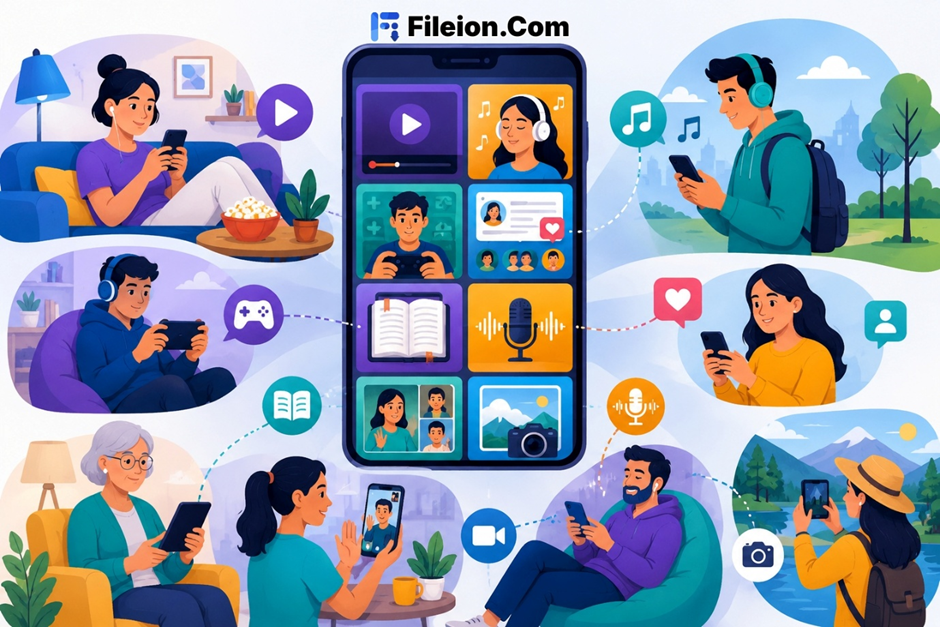
Mobile technology has completely rewired how people consume entertainment. Whether you are commuting, sitting in a café, or lying in bed at the end of the day, your smartphone is your entertainment center.
This shift is not just about convenience. It is about access, speed, and total control over what you watch, hear, and play. Streaming, gaming, video downloading, and social content have all moved into your pocket.
In this content, you will discover how mobile technology reshaped entertainment habits, which features define modern mobile experience, and how to build a complete mobile entertainment setup step by step.
Mobile entertainment covers any digital content or activity you experience on a smartphone or tablet. This includes video streaming, music, gaming, podcasts, social media, live broadcasts, and offline video downloads.
Students use it to relax between classes. Commuters fill travel time with it. Professionals use it during work breaks. Families share content without needing a shared screen or a fixed TV room.
The result is a fully on-demand experience that has replaced traditional media like cable television, radio, and physical disc formats for most users.
Key Features of Modern Mobile Entertainment
On-Demand Streaming: You choose what to watch and when to watch it. There is no broadcast schedule to follow. Most platforms let you pause, rewind, and resume across any device at any time.
Cloud-Based Gaming: Mobile gaming no longer depends on powerful local hardware. Cloud gaming services stream console-quality games directly to your phone. All processing runs on remote servers, not your device.
Offline Video Downloading: Reliable internet is not always available. Apps that support offline downloading save content directly to your device so you can play it anywhere. Vidmate is a widely used option for Android users. It downloads videos from YouTube, Facebook, Instagram, and other platforms without a paid subscription.
Short-Form Social Video: Platforms built around short vertical video changed how people discover and share content. Algorithm-driven feeds, fast edits, and simple sharing tools keep users engaged in short, high-frequency sessions throughout the day.
AI-Powered Recommendations: Streaming services analyze your viewing history and surface content that fits your preferences. The more you use a platform, the more personalized your content feed becomes over time.
Step-by-Step Directions: How to Build a Complete Mobile Entertainment Setup
- Start by updating your smartphone’s operating system. Outdated software causes app crashes, buffering issues, and streaming errors that are often mistaken for network problems.
- Connect to a reliable Wi-Fi network before streaming or downloading. A minimum speed of 5 Mbps is required for smooth HD video playback without interruption.
- Download a primary streaming app. YouTube, Netflix, and Amazon Prime Video all offer free mobile apps available on both Android and iOS.
- Set your preferred video quality inside each app. Lower quality settings save mobile data. Higher quality settings require a faster connection.
- Enable the offline download option within your streaming app. This saves selected content to your device before travel or commutes, so you are not dependent on a live connection.
- Install a dedicated video downloader for content outside major platforms. Vidmate supports downloads from multiple video sites and is free on Android. You can find the verified APK from Fileion to avoid security risks from unofficial sources.
- Create a dedicated media folder using your device’s file manager. Organize downloaded files by platform or date for easy access later.
- Set up a music streaming app separately. Spotify, YouTube Music, and Amazon Music all offer free tiers with ads for users who prefer not to pay a subscription fee.
- Add a cloud gaming app if gaming is part of your entertainment routine. NVIDIA GeForce NOW provides a free membership tier with basic rig access and requires a free NVIDIA account plus ownership of games in connected stores. While Xbox Cloud Gaming lets you stream supported free-to-play titles on Android with a free Microsoft account, access to the wider Game Pass library requires a subscription.
- Enable dark mode and reduce screen brightness during long viewing sessions. This reduces eye strain noticeably and extends your battery life on longer trips.
- Switch to Bluetooth headphones instead of your phone’s built-in speakers. Audio quality improves significantly for video playback, music, and gaming.
- Review your mobile data usage each month. Streaming and downloading consume data fast. Set a data usage limit inside your phone settings to avoid unexpected overage charges from your carrier.
- Download content over Wi-Fi at home before going out to avoid draining your data plan.
- Clear your streaming app cache weekly to keep apps responsive and reduce loading times.
- Use picture-in-picture mode to watch a video while using another app at the same time.
- Set a daily screen time limit inside your device settings to stay in control of usage habits.
Streaming without a limit: HD video uses roughly 3 GB per hour. That drains a typical monthly data plan within a few sessions. Always download content over Wi-Fi when you know connectivity will be limited later.
Downloading from random websites: Unofficial APK sources introduce serious security risks, including spyware and adware. Trusted platforms like Fileion scan apps before hosting them, which reduces that risk significantly.
Ignoring space: Video files are large. Running out of storage stops downloading mid-session and can slow your phone overall. Check available space before starting a long download queue.
Most mobile entertainment apps are free to download. Streaming services like Netflix and Spotify operate on monthly subscription fees. Free ad-supported tiers exist on YouTube and Spotify for users who prefer not to pay.
Vidmate is free to use on Android with no subscription required. You download it once and use it across all supported platforms at no cost.
Cloud gaming services typically cost between $9.99 and $14.99 per month after a free trial period. Xbox Cloud Gaming is included with an Xbox Game Pass Ultimate subscription.
Mobile technology has made entertainment accessible to anyone with a smartphone and a decent connection. You no longer need a dedicated TV, a gaming console, or a home theater system to enjoy quality content.
The key is building your setup correctly from the start, choosing reliable apps, and managing your storage and data with a basic plan in place.
If you want to take offline entertainment further and break free from buffering and data limits, a solid video downloader makes a real difference. Download Vidmate from Fileion today and build an offline library of your favorite videos. Watch what you want, wherever you are, without depending on a live connection.
Is mobile entertainment safe for children?
Yes, with the right settings in place. Most major platforms offer parental controls that let you restrict content by age rating, set daily screen time limits, and filter categories. Always configure these before giving a device to younger users.
Can I download YouTube videos to my Android phone for free?
YouTube allows offline downloads inside its app for Premium subscribers only. For free multi-platform video downloads on Android, tools like Vidmate work without any subscription. Always get APK files from a verified source to avoid security risks.
How much storage do I need for offline videos?
A one-hour HD video uses approximately 1.5 GB. A standard 720p video uses around 700 MB. For regular downloading, a device with at least 64 GB of internal storage is a practical starting point to avoid running out of space quickly.
Does video streaming drain mobile data quickly?
Yes. HD streaming uses roughly 3 GB per hour. Standard definition uses about 1 GB per hour. Downloading content over Wi-Fi before you travel is the smarter approach if you are on a limited mobile data plan.
What is the best app for downloading videos on Android?
Vidmate is a widely used choice on Android. It supports multiple platforms, delivers videos in several formats, and is free to use. Get the latest verified version from Fileion for a safe, clean installation on your device.